The Report tab assembles everything into a document you can share, and the PDF mirrors it exactly. See a full sample report (PDF), generated from a fictional operator.
Judgements, not a score
The report opens with the distribution of judgements: how many outcomes are at each level, over the stated in-scope basis. For CAF assessments there is deliberately no overall score; where an indicative percentage appears it is labelled as indicative and never as compliance. Where a target profile is set, an attainment section lists met and not-met principles and the outcomes below target, with your regulatory deadline alongside.
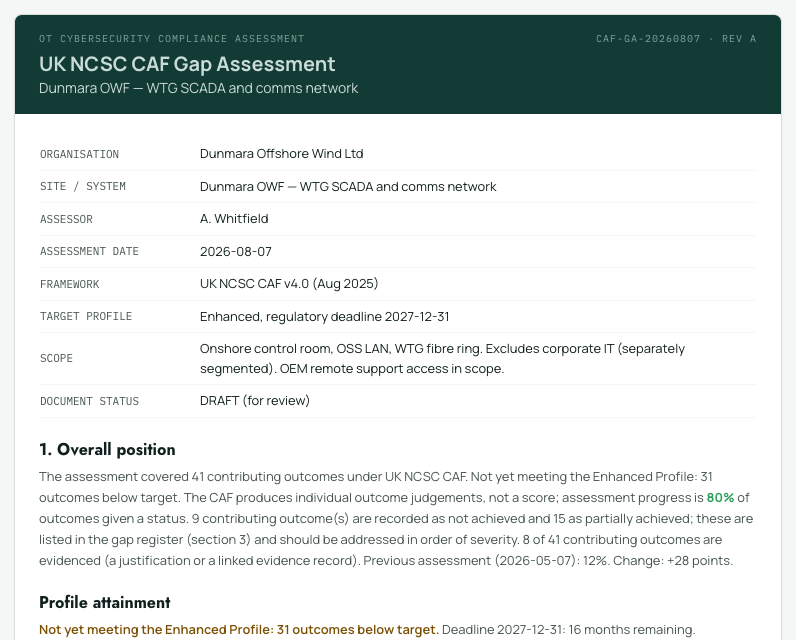
Principle summary
A table per objective and principle: counts at each level, the indicative percentage, and a Met column where a profile is set. A principle shows Met only when every targeted outcome under it meets its own target.
Gap register
The working list for remediation: every item at the statuses you chose to include (gaps and partials by default), with your notes and evidence references beside each. Overridden outcomes are tagged, and out-of-scope items are listed with their reasons.
Appendices
The evidence register appendix lists every record with its reference, type, status, owner, dates and linked outcomes; superseded records appear struck through. Sector assessments include the exception systems register. Every report carries a disclaimer that judgements are the assessor's own, plus Open Government Licence attribution where NCSC-derived content appears.