One network diagram can evidence zoning, data flow and monitoring outcomes at once. Linking one record to several outcomes is the normal case, not the exception.
Opening the picker
- Open the Evidence tab.
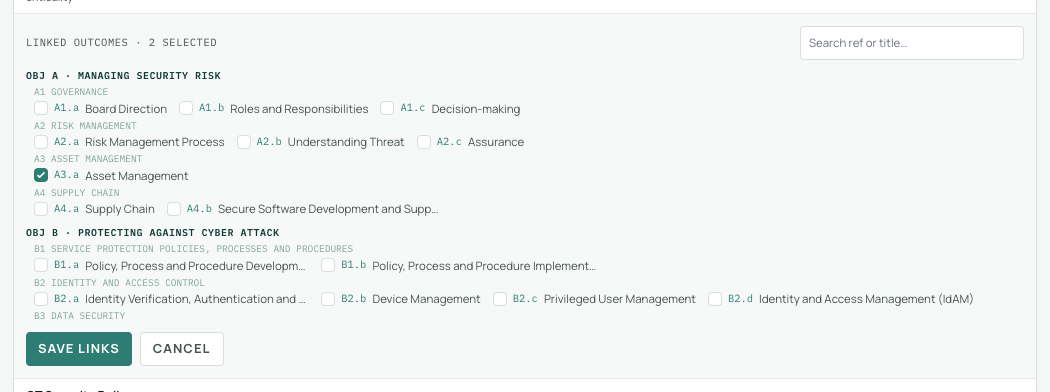
- On the record's row, select the count in the Outcomes column. The link picker expands beneath the row.
Selecting outcomes
- The picker lists the whole framework, grouped by objective and principle, with the record's current links pre-ticked.
- Tick or untick outcomes; the search box filters by ref (B4.a) or title (Data Security) as you type.
- Choose Save links. Every addition and removal is applied in one action.
While assessing, the outcome's evidence panel offers the same thing one outcome at a time: search existing records and link with a single click, no retyping.
What happens to links over time
Links are kept by outcome reference, so they survive changes around them. If a framework update removes an outcome, the link is kept and labelled as no longer in this framework version. If you switch the assessment to another framework, links under the inactive framework are hidden, never deleted; switch back and they are all still there.