Sector assessments include an exception systems register: a structured list of systems that cannot meet a sector expectation, with the reasoning on record. Regulated sectors expect exceptions to be declared and managed, not hidden.
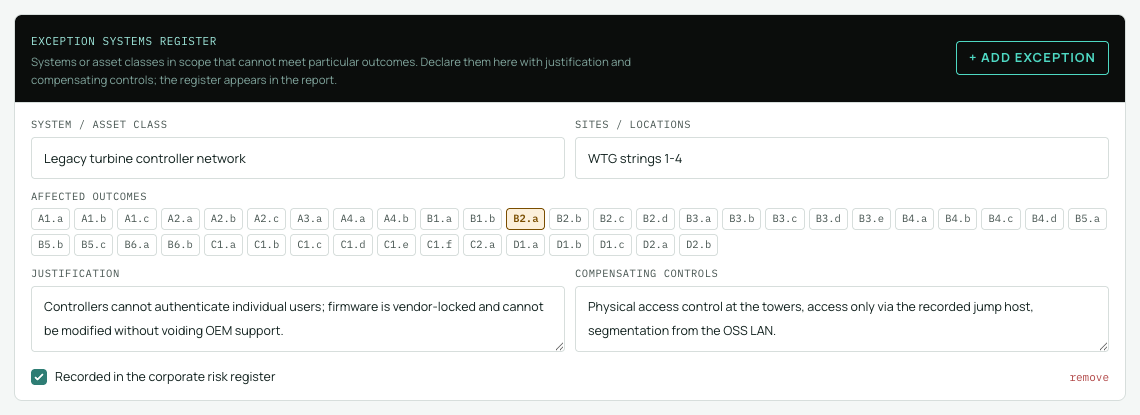
What it records
- The system name and the sites it applies to.
- A justification: why the expectation cannot be met (for example, a vendor-locked legacy controller that cannot authenticate users individually).
- Compensating controls: what you do instead to contain the risk.
- The contributing outcomes the exception touches, and whether the exception is tracked in your risk register.
Adding an exception
- In a sector assessment, find the exception systems panel in the Assessment view.
- Choose to add an entry and fill in the system, sites, justification and compensating controls; fields save as you type.
- Tick the outcomes the exception relates to. Those outcomes carry an EXCEPTION tag so the connection is visible while assessing.
Where exceptions appear
The register appears in the report alongside the assessment results, so a reader sees your exceptions, reasoning and compensating measures in the same document as the judgements they affect. An exception is not an exemption: the linked outcomes still hold whatever status you assessed, and the register explains the context.