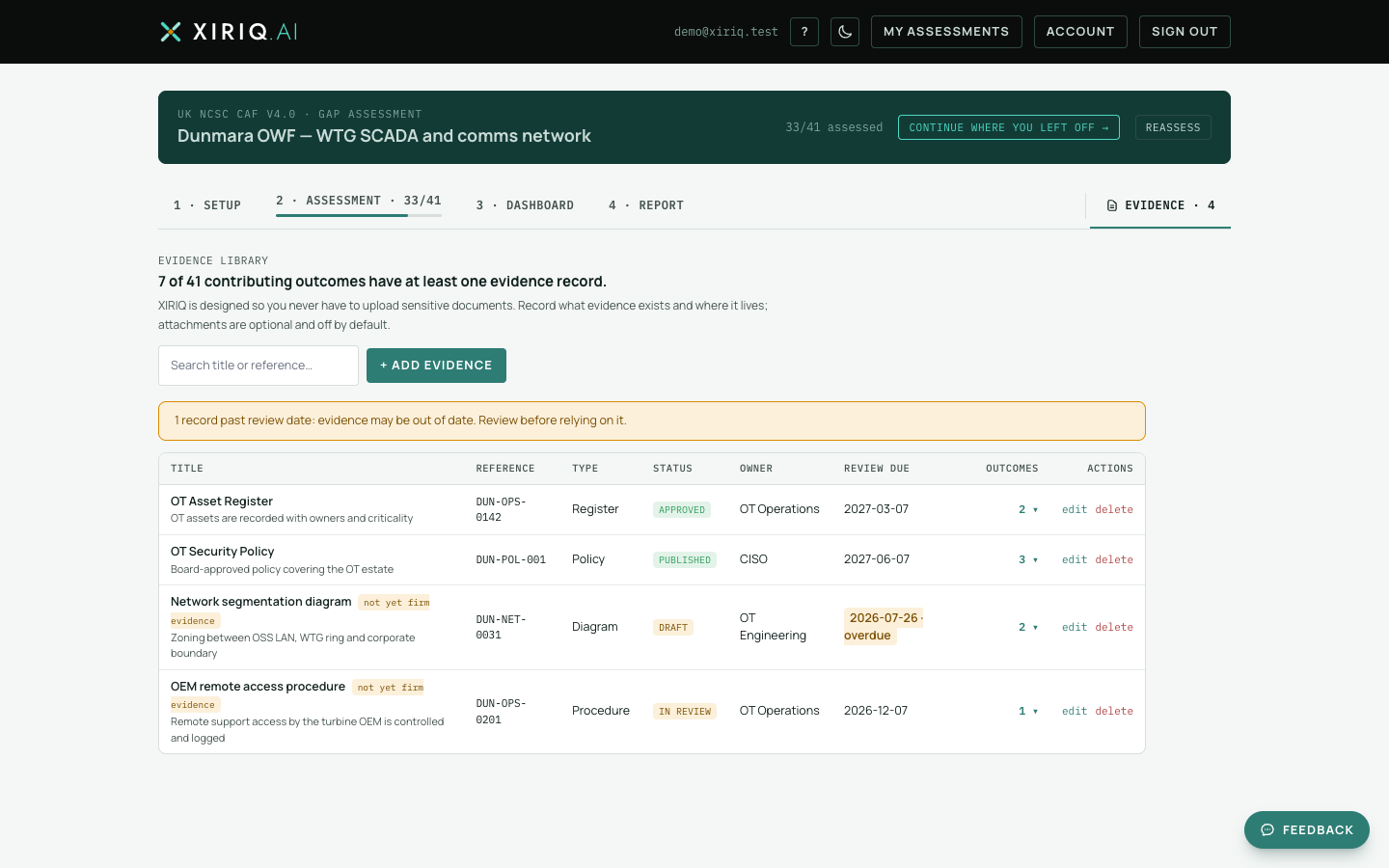
The Evidence tab is the whole register in one table: every record, its links, and the coverage line showing how many outcomes have at least one evidence record.
Adding without linking
- Choose + Add evidence.
- Enter the title and what it demonstrates (detail optional), then Save record.
- The form clears and stays open, so you can enter a stack of records one after another, straight from a document list.

Records added here start with no outcome links. That is an expected state, not an error: capture what evidence exists first, link it while assessing or with the link picker later.
The unlinked filter
A counter chip shows how many records are not yet linked under the current framework. Select it to filter the table to just those, work through linking them, and toggle it off to see everything again.
Editing and deleting
Edit any record inline; changes propagate everywhere it is linked, including the report appendix. Deleting warns you with the record's link count before removing the record and its links. Records whose review date has passed carry an amber flag, and the table shows each record's status chip, including the not-yet-firm marker.