Quick mode is one judgement per item. The Assessment tab lists every outcome or requirement in the framework's own grouping; you work down the list.
Setting a status
- Open the Assessment tab and pick a section from the section pills.
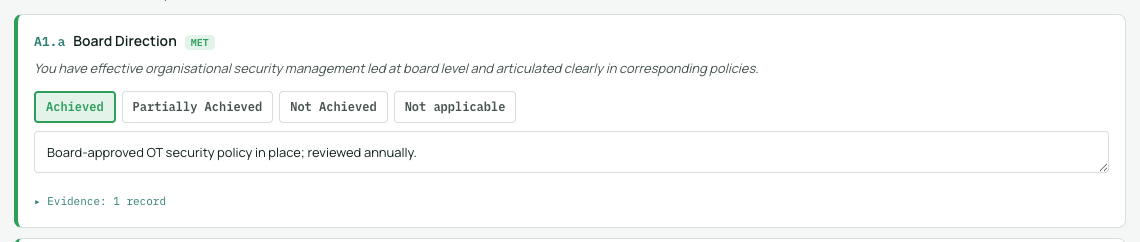
- On each item, choose a status button. CAF assessments use the CAF's own vocabulary (Achieved, Partially Achieved where defined, Not Achieved); NIS2 and 62443 use implemented, partial, not implemented.
- The answer saves immediately. Change it any time; nothing is locked.
Notes and justification
Every item has a notes field. Use it to record what you saw, what convinced you, or what is missing: these notes travel into the report's registers, and a status with a note is worth far more in review than a bare status. Items marked not relevant always require a reason (why).
Where answers appear
Statuses feed the Dashboard's distribution, radar and focus list, the Report's registers, and the progress count in the Assessment tab itself. An outcome with a justification note, or a linked evidence record, also counts as evidenced in the coverage measures.